

From Manual Marketing Chaos to Automated, Consistent Growth
Marketing is essential for business growth. It’s also overwhelming, time-consuming, and often the first thing that slips when you’re busy serving customers.
The brutal reality for Australian small business owners:
- You know you should post to social media regularly (but don’t)
- You know email marketing works (but you rarely send campaigns)
- You know content marketing builds authority (but you can’t find time to create it)
- You know following up with customers drives repeat business (but it happens inconsistently)
The result? You’re losing growth opportunities not because you don’t know what to do, but because you can’t sustain doing it manually.
AI changes this equation completely. What used to require hours of manual work daily can now run automatically, consistently, professionally—with minimal ongoing time investment from you.
This comprehensive guide explains exactly how Australian small business owners automate their entire marketing operation using AI tools and systems.

The Marketing Automation Opportunity
Let’s quantify what we’re discussing.
Typical small business marketing time investment:
- Social media management: 5-10 hours/week
- Email marketing: 3-5 hours/week
- Content creation (blogs, articles): 4-8 hours/week
- Customer follow-up and retention: 2-4 hours/week
- Advertising management: 2-4 hours/week
- Marketing planning and strategy: 2-3 hours/week
Total: 18-34 hours weekly spent on marketing
For a salon, retail shop, or service business:
- That’s 1-2 full working days per week
- At $50/hour value of time = $900-1,700/week = $46,800-88,400/year
- Plus opportunity cost of not serving customers during that time
With AI marketing automation:
- Time reduced to 2-4 hours weekly (90% reduction)
- Consistency dramatically improved (automated doesn’t forget)
- Quality maintained or improved (AI assists, humans refine)
- Annual time savings: 800-1,500 hours
Research from HubSpot on marketing automation:
- Businesses using automation see 451% increase in qualified leads
- 80% of marketing automation users see increased leads
- 77% see increased conversions
- Average time savings: 6 hours per week per marketer
For small business owners, automation isn’t luxury—it’s the difference between consistent marketing and no marketing.
The Complete AI Marketing Automation Stack
Let’s walk through every major marketing function and how to automate it.

AUTOMATION AREA 1: Social Media Management
The manual nightmare:
- Daily content creation across multiple platforms
- Finding or creating visuals
- Writing captions optimized for each platform
- Posting at optimal times
- Responding to comments and messages
- Tracking what works
Time investment manually: 5-10 hours/week
The AI Automation Approach
Step 1: AI Content Generation (ChatGPT/Claude)
Create batch content in one sitting. Here’s how to ask AI to generate your social media posts:
EXAMPLE PROMPT TO USE:
I run a hair salon in Melbourne’s CBD. My ideal customers are professional women aged 28-45 who value quality hair care and styling. Create 5 social media posts for this week.
Requirements: – Mix of educational (hair care tips), promotional (our services), and engaging (questions, polls) content – Optimized for Instagram and Facebook – Include clear call-to-action in each post – Brand voice: Friendly, professional, empowering – Use relevant hashtags for Melbourne and hair/beauty industry
Format each post as: Caption: [the actual post text] Hashtags: [list of 8-12 relevant hashtags] Visual suggestion: [describe what image would work best]
Customize this template by replacing the business type, location, and customer description with your details.
Time to generate content: 10 minutes for an entire week

Step 2: AI Visual Creation (Canva AI)
Once you have your captions, create matching visuals:
- Open Canva and select “Instagram Post” or “Facebook Post”
- Use Canva’s “Magic Design” feature – paste your caption and let AI generate visual options
- Customize with your brand colors, logo, and photos
- Export all graphics for the week
Time: 20-30 minutes for a week of visuals
Step 3: Automated Scheduling (Meta Business Suite / Later / Buffer)
Upload your content to a scheduling tool:
- Load all your posts and images into Meta Business Suite (free) or Buffer
- The tool will recommend optimal posting times based on when your audience is most active
- Schedule everything for the week or month ahead
- The tool automatically publishes to Facebook and Instagram at the scheduled times
Time: 15 minutes to schedule everything
Step 4: AI Response Management (ManyChat / Mobile Service Cloud)
Set up an AI chatbot to handle common messages automatically:
- “What are your hours?” → Chatbot responds with business hours
- “How much is a haircut?” → Chatbot provides pricing
- “Can I book an appointment?” → Chatbot sends booking link
- Complex questions get forwarded to you
Time: 1 hour initial setup (one-time), then 5 minutes daily to check messages that need your personal response
Total weekly time: 1-2 hours (reduced from 5-10 hours manually)
Real Australian Example
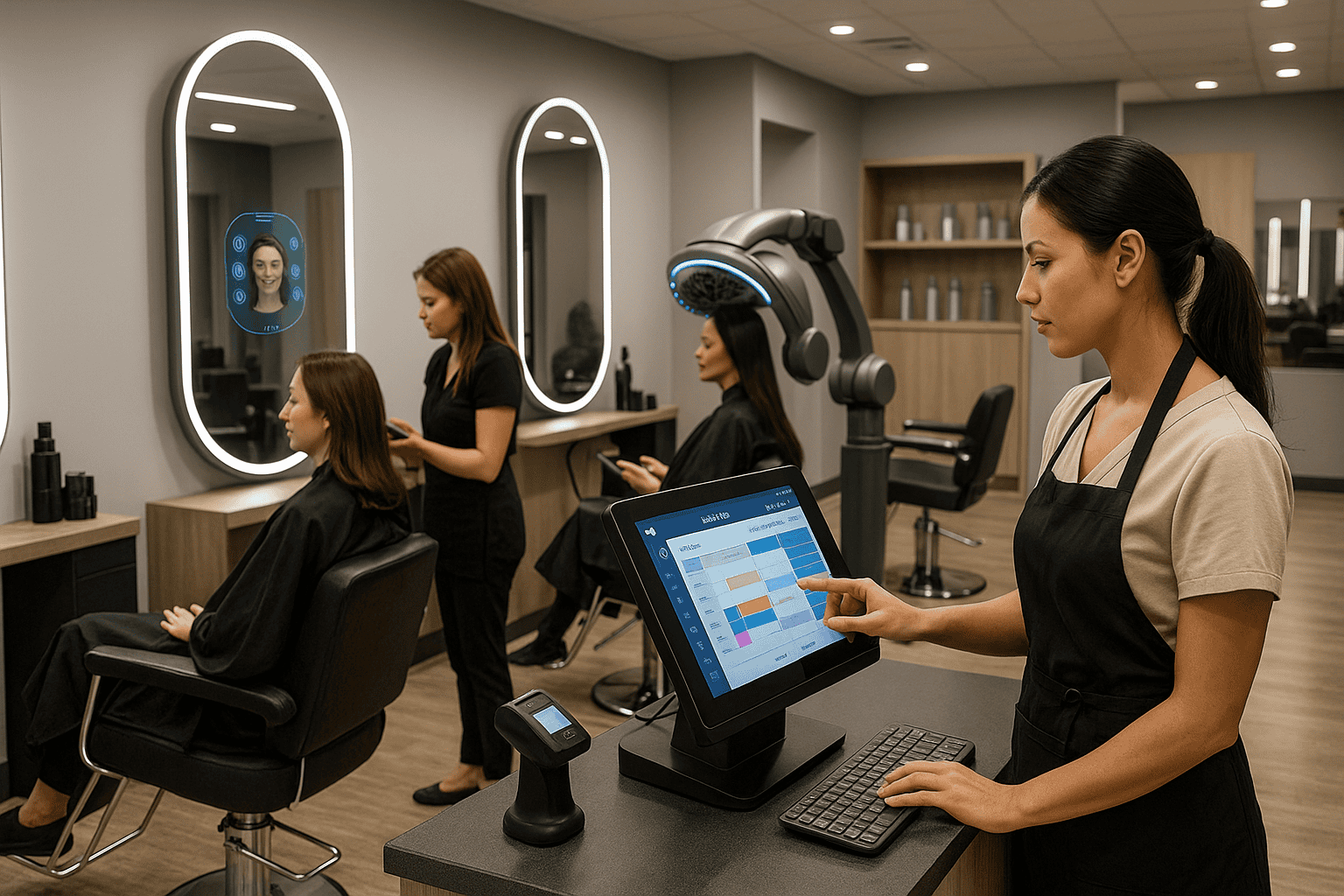
Brisbane Hair Salon automated their social media:
Before automation:
- Owner spent 8 hours weekly creating content
- Posted inconsistently (2-3 times per week when not too busy)
- Stressed about finding time for social media
- Content quality varied based on how rushed she felt
After automation:
- 90 minutes weekly (batch creates content Sunday evenings)
- Posts consistently 5 times per week
- Professional, on-brand content every time
- Result: Follower growth increased 120% in 6 months, inquiry rate increased 45%
Tools used:
- ChatGPT Plus ($31 AUD/month) for content generation
- Canva Pro ($18 AUD/month) for visuals
- Meta Business Suite (free) for scheduling
- ManyChat ($15 USD/month = ~$23 AUD) for message automation
Total cost: ~$72 AUD/month (compared to considering hiring social media help at $500+/month)
AUTOMATION AREA 2: Email Marketing
The manual nightmare:
- Writing newsletters from scratch each time
- Designing email layouts
- Manually segmenting your customer list
- Remembering to actually send campaigns
- Following up after purchases
- Re-engaging customers who haven’t visited recently
Time investment manually: 3-5 hours/week (if done consistently, which most don’t)
The AI Automation Approach
Campaign Type 1: Welcome Sequences (Set & Forget)
Set this up once and it runs forever for every new customer.
How it works:
- Customer signs up or makes first purchase (trigger)
- Automated email sequence begins:
- Email 1: Welcome + introduce your business (sends immediately)
- Email 2: Share your story, build connection (sends day 3)
- Email 3: Educate about your products/services (sends day 7)
- Email 4: Special first-time offer (sends day 14)
How to create the sequence with AI:
EXAMPLE PROMPT TO USE:
Create a 4-email welcome sequence for my Melbourne beauty salon.
Audience: Women aged 25-50 who just signed up for our email list Goal: Build relationship and encourage first booking Tone: Friendly, warm, professional
For each email provide: – 3 subject line options (test different approaches) – Email body (300-400 words) – Clear call-to-action
You’ll get 4 complete emails. Review them, personalize with your specific details (your name, services, pricing), and load into your email platform.
Time to create: 2 hours one-time setup
Ongoing time: 0 hours (runs automatically for every new subscriber)
Campaign Type 2: Post-Purchase Sequences
Automate customer retention after every sale.
How it works:
- Customer makes a purchase (trigger)
- Automated sequence begins:
- Email 1: Thank you + care instructions (sends immediately after purchase)
- Email 2: “How are you enjoying [product/service]?” (sends day 7)
- Email 3: Request review with easy links (sends day 10)
- Email 4: Suggest complementary products (sends day 21)
- Email 5: Rebooking reminder for service businesses – timing depends on service type (haircuts at 6 weeks, nail appointments at 3 weeks, facials at 4 weeks)
How to create with AI:
EXAMPLE PROMPT TO USE:
Create a 5-email post-purchase sequence for customers who just had a haircut at my Melbourne salon.
Goals: – Thank them for their business – Encourage them to leave a review – Get them to rebook for their next appointment
Tone: Grateful, friendly, not too salesy
For each email provide: – Subject line – Email content (keep concise, 200-300 words) – Specific call-to-action
Time to create: 3 hours one-time setup
Ongoing time: 0 hours (automatically sends after each purchase)
Campaign Type 3: Win-Back Campaigns
Automatically re-engage customers who haven’t visited in a while.
How it works:
- Your email platform identifies customers who haven’t purchased in 3+ months (you set the timeframe)
- Automated “we miss you” email sends with special offer
- If they don’t respond, second email sends 2 weeks later
- Campaign stops if they return or after 2 attempts
How to create with AI:
EXAMPLE PROMPT TO USE:
Create 2 win-back emails for customers of my retail boutique who haven’t shopped in 90+ days.
Goals: – Make them feel valued (not guilty) – Give them a reason to come back – Include a special returning customer offer
Tone: Warm, we-miss-you, not desperate
For each email provide: – Friendly subject line – Email content (250-350 words) – Compelling offer and call-to-action
Time: 1 hour setup, then automated monthly
Campaign Type 4: Regular Newsletters (Semi-Automated)
You’ll still want to send regular updates, but AI speeds this up dramatically.
The hybrid approach:
Every month (or week), use AI to draft your newsletter content:
EXAMPLE PROMPT TO USE:
Create this month’s newsletter for my Adelaide yoga studio.
Target audience: Current members and subscribers interested in yoga and wellness
Include: – 1 wellness tip related to yoga or meditation (300 words) – 1 studio update (we’re adding a new morning class on Wednesdays) – 1 promotional offer (20% off friend referrals this month) – Warm message from me as the owner
Total length: 500-600 words Tone: Friendly, encouraging, community-focused
AI generates a complete draft. You then:
- Review and add personal touches (10 minutes)
- Add to your email template in Mailchimp/Klaviyo (10 minutes)
- Schedule to send (2 minutes)
Time per newsletter: 25 minutes (reduced from 2-3 hours writing from scratch)

Real Australian Example
Melbourne Boutique implemented email automation:
Welcome sequence results:
- 45% average open rate
- 18% click through to shop
- 8% make purchase directly from welcome sequence
- Previously: Single manual welcome email with 2% conversion
Post-purchase sequence results:
- Review collection rate: 25% (up from 5% when asking manually)
- Repeat purchase rate: 35% (up from 20% without systematic follow-up)
Win-back campaign results:
- Sent monthly to customers 90+ days dormant
- 15% re-activation rate
- Previously: These customers just churned, no systematic win-back effort
Total revenue impact: $42,000 additional annual revenue from automated email campaigns
Time investment: 3 hours monthly (monitoring + creating monthly newsletter)
Setup time: 8 hours one-time
Tools used:
- Klaviyo ($20-60 USD/month = ~$30-92 AUD depending on list size)
- ChatGPT Plus for content generation
- Canva for email header graphics
AUTOMATION AREA 3: Content Marketing (Blogs, SEO, Authority Building)
The manual nightmare:
- Research blog topics that will actually rank
- Write 1,000-2,000 word articles
- Find or create relevant images
- Optimize every element for SEO
- Format and publish to your website
- Promote across your marketing channels
Time investment manually: 4-8 hours per article (which is why most businesses just don’t blog)
The AI Automation Approach
Step 1: AI Topic Research
First, identify what to write about. Ask AI:
EXAMPLE PROMPT TO USE:
I run a landscaping business in Brisbane. My ideal customers are homeowners looking for native Australian garden design and low-maintenance yards.
Suggest 12 blog post topics that would: – Help my target customers solve their garden problems – Position me as a local expert in Brisbane landscaping – Rank well in Australian Google searches (focus on Brisbane specifically) – Drive organic traffic to my website
For each topic provide: – Article title – Primary SEO keyword to target – Brief 3-4 point outline – Why this topic matters to Brisbane homeowners
Result: You’ll get 12 blog topics with SEO keywords and outlines
Time: 10 minutes
Step 2: AI Content Generation
Now write each article. Here’s how to get AI to draft the full blog post:
EXAMPLE PROMPT TO USE:
Write a comprehensive blog post on: “Best Native Australian Plants for Brisbane Gardens: A Complete Guide”
Target audience: Brisbane homeowners planning garden renovations Goals: Educate them on plant selection, build trust in my expertise, include call-to-action to book consultation Length: 1,500 words Tone: Friendly expert – like I’m chatting with a neighbor about their garden
Include: – Introduction explaining why native plants work well in Brisbane’s climate – 8-10 specific native plant recommendations (with brief description of each) – Practical tips for planting and care – Common mistakes to avoid – Brisbane-specific considerations (climate, water restrictions, soil types) – Conclusion with call-to-action to book free consultation
SEO keyword focus: “native plants Brisbane”
Result: AI generates complete 1,500-word draft in 2 minutes
Step 3: Human Refinement
The AI draft is 70-80% complete. Now you refine it:
- Read through the draft (5 minutes) – check for accuracy and tone
- Add your personal experience (10 minutes) – “In my 15 years landscaping in Brisbane, I’ve found that…”
- Include your specific business details (5 minutes) – your services, service area, contact info
- Final edit and polish (10 minutes) – tighten wording, fix any awkward phrases
Time per article: 30-40 minutes of human refinement (compared to 4-8 hours writing from scratch)

Step 4: AI SEO Optimization
Make sure your article will rank well. Ask AI:
EXAMPLE PROMPT TO USE:
Optimize this blog post for SEO. Here’s my draft:
[paste your refined article here]
Target keyword: “native plants Brisbane” Focus on Australian search intent and Brisbane local searches
Provide: – Optimized title tag (under 60 characters) – Meta description (exactly 155 characters, compelling, includes keyword) – Improved H2 and H3 header suggestions (include keyword variations) – 3-4 internal linking opportunities (where to link to my other pages) – Image alt text suggestions for 3-4 photos I’ll include
Time: 10 minutes to implement AI’s SEO suggestions
Step 5: AI Visual Creation
Create your featured image and in-article graphics:
- Open Canva
- Use “Magic Design” or describe what you want: “Create featured image for blog about Brisbane native plants, include Australian native flowers, bright and professional”
- Customize with your brand colors
- Generate 2-3 in-article graphics as needed
Time: 15 minutes
Step 6: Automated Publishing and Promotion
- Publish article to your WordPress website (10 minutes)
- Automated sharing happens:
- Post automatically shares to Facebook and Instagram (via Buffer or Hootsuite)
- Email notification goes to your subscriber list: “New article: [title]”
- Tweet sends (if you use Twitter)
Time: 10 minutes setup, then automatic
Total time per blog post: 70-90 minutes from idea to published and promoted
Publishing frequency: You can realistically publish 1-2 articles weekly instead of 1 monthly (or never)

Real Australian Example
Sydney Landscaping Company implemented AI content marketing:
Before:
- No blog at all (too time-consuming to maintain)
- Website had basic service pages only
- Relied entirely on paid advertising for traffic
After AI content implementation:
- Publishing 2 articles monthly on topics like:
- Australian native plant care
- Water-wise gardening for Sydney’s climate
- Drought-tolerant lawn alternatives
- Outdoor living spaces for Sydney weather
Results after 6 months:
- Organic website traffic: +215%
- Ranking on Google page 1 for 8 local search terms like “landscaper near me Sydney,” “native garden design Sydney”
- Lead inquiries from organic search: +180%
- Cost: Time investment only (4 hours monthly total)
Compare to alternatives:
- Hiring content writer at $300-500 per article = $600-1,000/month
- Marketing agency retainer: $2,000-4,000/month
Tools used:
- ChatGPT Plus for content generation and SEO
- Canva Pro for visuals
- WordPress with Yoast SEO plugin (free) for on-page optimization
- Buffer for automated social sharing
AUTOMATION AREA 4: Paid Advertising Management
The manual nightmare:
- Write multiple ad variations to test
- Design different ad creative options
- Research and test different audiences
- Monitor performance daily
- Constantly adjust budgets and targeting
- Analyze results and make optimization decisions
- Create weekly/monthly performance reports
Time investment manually: 3-5 hours/week
The AI Automation Approach
Step 1: AI Ad Copy Generation
Create multiple ad variations to test. Ask AI:
EXAMPLE PROMPT TO USE:
Create 10 Facebook ad variations for my Perth fitness studio.
Target audience: Perth professionals aged 28-45 looking to get fit Goal: Drive trial class bookings Tone: Motivating but not intimidating, friendly
For each variation provide: – Headline (maximum 40 characters) – Description/body text (maximum 125 characters)
Use different angles: – Some focused on benefits (get fit, feel great) – Some focused on solving problems (no time to exercise, tried everything) – Some using social proof (join 200+ Perth members) – Some creating urgency (limited trial slots) – Some asking questions (ready for a change?)
Result: 10 complete ad variations ready to test
Time: 5 minutes
Step 2: AI Visual Creation
Create ad images in Canva:
- Select “Facebook Ad” template
- Use Canva’s AI to generate 3-5 different visual concepts
- Test different styles (people exercising, before/after, studio interior, etc.)
- Keep brand consistent but vary enough to see what resonates
Time: 20 minutes for multiple ad creative options
Step 3: Leverage Built-In Platform AI
Modern ad platforms have powerful AI built in. Use it:

For Facebook/Instagram Ads:
- Use Advantage+ campaigns (Facebook’s AI optimization feature)
- How it works:
- Upload your 10 ad variations and 5 images
- Facebook’s AI automatically tests all combinations
- AI shows winning combinations to more people
- AI automatically allocates budget to best-performing ads
- AI finds audiences most likely to convert within your parameters
For Google Ads:
- Use Performance Max campaigns
- How it works:
- AI generates ad variations across Google Search, Display, YouTube, Gmail
- AI optimizes bidding in real-time
- AI finds converting audiences automatically
- AI adjusts placements based on performance
Time to set up campaigns: 1-2 hours
Ongoing monitoring: 30 minutes/week (AI handles the optimization, you just monitor)
Step 4: AI Performance Analysis
Each week, review your ad performance with AI assistance:
EXAMPLE PROMPT TO USE:
Analyze my Facebook ad campaign performance from this week:
Campaign: Perth Fitness Studio Trial Class Ad spend: $350 Impressions: 28,500 Clicks: 427 Cost per click: $0.82 Landing page visits: 398 Trial class bookings: 23 Cost per booking: $15.22
Top performing ad: “Ready for a change? Join 200+ Perth members” – 8 bookings Worst performing ad: “Get fit in 30 days” – 1 booking
Tell me: – What’s working well and why you think so – Which ads should I pause immediately – What new angles should I test next week – Budget reallocation recommendations – Overall assessment: Is $15.22 per trial booking good for fitness industry?
AI provides strategic analysis in plain language you can act on.
Time: 15 minutes weekly (compared to 2-3 hours manually analyzing spreadsheets)
Real Australian Example
Perth Fitness Studio automated their paid advertising:
Before AI automation:
- Manual ad management and testing
- Created ads when remembered
- Inconsistent testing approach
- Made gut-feel optimization decisions
- Results:
- Ad spend: $1,500/month
- Cost per lead: $45
- Monthly trial bookings: 33
- Time spent: 4 hours/week
After AI automation:
- Used Advantage+ campaigns with 15 ad variations
- Facebook’s AI handled testing and optimization
- ChatGPT analyzed weekly performance and suggested improvements
- Results:
- Ad spend: $1,500/month (same budget)
- Cost per lead: $22 (51% reduction!)
- Monthly trial bookings: 68 (doubled!)
- Time spent: 45 minutes/week (83% time reduction)
Outcome: Double the leads at half the cost per lead, while spending 83% less time managing ads
Tools used:
- ChatGPT Plus for ad copy generation and performance analysis
- Canva Pro for ad creative
- Facebook Advantage+ campaigns (built-in Facebook AI, no additional cost)
- Google Performance Max (built-in Google AI, no additional cost)

AUTOMATION AREA 5: Customer Communication and Retention
The manual nightmare:
- Remembering to follow up after every purchase
- Tracking which customers haven’t visited recently
- Sending birthday and anniversary messages
- Requesting reviews at the right time
- Handling the same customer questions repeatedly
Time investment manually: 2-4 hours/week (or it just doesn’t happen consistently)
The AI Automation Approach
Automation 1: Post-Purchase Follow-Up
Every time a customer makes a purchase, trigger this automated sequence:
Day 1: Thank you email (personalized with what they purchased)
Day 3: Product care tips or how-to-get-best-results guide
Day 7: “How’s everything going?” friendly check-in
Day 14: Review request with easy links to Google/Facebook
Day 30: Suggest complementary products OR send rebooking reminder (for services)
Use AI to create all these email templates:
EXAMPLE PROMPT TO USE:
Create 5 automated email templates for post-purchase follow-up sequence.
Business: Adelaide beauty salon Customer journey: Just had a facial treatment ($120 service)
Create emails for: 1. Immediate thank you (send right after appointment) 2. Skincare tips to maintain results (send 3 days later) 3. Friendly check-in (send 7 days later) 4. Review request (send 14 days later) 5. Rebook reminder (send 4 weeks later – typical facial interval)
For each email provide: – Warm, personal subject line – Email content (200-300 words) – Appropriate call-to-action
Tone: Like a friend who’s a skincare expert, warm and caring
Setup time: 2 hours one-time
Ongoing time: 0 hours (runs automatically after every appointment)

Automation 2: Customer Segmentation and Retention
Your email platform automatically segments customers into groups based on their behavior:
VIP Customers (top 20% by spend):
- Get early access to new products/services
- Exclusive offers and appreciation messages
- Personal check-ins from owner
Regular Customers (visit every 6-8 weeks):
- Automated rebooking reminders timed to their service cycle
- Loyalty program point updates
- Birthday and anniversary recognition
At-Risk Customers (haven’t visited in 3 months):
- “We miss you” campaign activates automatically
- Special incentive to return
- Ask for feedback (what can we improve?)
Lost Customers (6+ months absent):
- Final reactivation campaign
- Compelling offer to give you another try
- If no response, moved to inactive list
Use AI to create messaging for each segment:
EXAMPLE PROMPT TO USE:
Create 3 different email templates for customer retention:
1. VIP customer appreciation (top 20% spenders) Make them feel valued, offer exclusive early access to new service
2. Regular customer rebooking reminder Friendly reminder it’s been 6 weeks since their last haircut, time to book again
3. At-risk customer win-back (haven’t visited in 3 months) We miss them, special 20% discount to come back
Business: Brisbane hair salon Tone: Warm, appreciative, not desperate
For each provide subject line and 250-300 word email
Setup time: 3 hours one-time
Ongoing time: 0 hours (automatically triggered by customer behavior)
Automation 3: Birthday and Special Occasions
Collect birthdates when customers sign up. Your system automatically sends birthday emails:
What happens:
- System identifies customers with upcoming birthdays
- Automated email sends on their birthday with special offer
- Personal message making them feel remembered
Use AI to create your birthday template:
EXAMPLE PROMPT TO USE:
Create a warm, genuine birthday email for customers of my Melbourne cafe.
Include: – Personal birthday wishes – Special birthday offer (free coffee and pastry on their birthday week) – Make them feel valued and appreciated – Not overly commercial or promotional
Keep it short, warm, and genuine – 150-200 words
Result: Customers feel remembered and appreciated, often visit to redeem offer
Setup: 30 minutes one-time
Ongoing: Fully automated

Automation 4: Review Collection
Automatically request reviews from happy customers:
How it works:
- Trigger: 7-10 days after positive purchase or service experience
- Automated email thanks them and requests review
- Include easy one-click links to Google, Facebook, wherever you want reviews
- System stops asking if customer already left review (no annoying repeat requests)
Typical results:
- Review collection rate: 15-25% (compared to 2-5% with no system or manual requests)
- More consistent flow of positive reviews
- Improves local SEO and social proof
Setup: 1 hour
Ongoing: Fully automated
Automation 5: AI Chatbot for Common Questions
Set up AI chatbot on your website and Facebook page to handle repetitive questions:
Questions AI handles automatically:
- “What are your business hours?”
- “How much does [service] cost?”
- “Where are you located?”
- “Do you have parking?”
- “What’s your cancellation policy?”
- “Do you have availability this week?” (Can link to booking calendar)
Setup process:
- List your 30 most common questions
- Use AI to generate friendly, on-brand responses
- Set up chatbot flows in ManyChat (Facebook) or Tidio (website)
- Complex questions automatically escalate to you with full context
Result: 60-70% of customer messages handled without your involvement
Setup: 4-6 hours one-time
Ongoing: 10 minutes daily to handle escalated questions
Real Australian Example
Adelaide Beauty Salon automated customer communication:
Before automation:
- Owner manually sent occasional follow-ups (very inconsistent)
- Requested reviews informally (when she remembered)
- No systematic rebooking process
- Results:
- Review collection rate: 3-5% of customers
- Rebooking rate: 55%
- 12-month customer retention: 60%
- Owner stress level: High (always felt behind on follow-up)
After comprehensive automation:
- Every customer enters automated post-service sequence
- Review requests send automatically 7 days after appointment
- Rebooking reminders automated based on service type (facials every 4 weeks, waxing every 3 weeks, etc.)
- Birthday emails send automatically
- Facebook chatbot handles 65% of routine inquiries
- Results:
- Review collection rate: 22% (7x improvement)
- Rebooking rate: 78% (23 percentage point increase)
- 12-month customer retention: 82% (22 percentage point increase)
- Owner time reclaimed: 3 hours/week
- Owner stress level: Much lower
Revenue impact: $38,000 additional annual revenue from improved retention and rebooking
Setup time: 10 hours total (spread over 2 weeks)
Ongoing time: 15 minutes weekly monitoring
Tools used:
- Fresha (salon booking software with built-in email automation)
- ChatGPT Plus for template creation
- ManyChat for Facebook Messenger chatbot

AUTOMATION AREA 6: Reporting and Analytics
The manual nightmare:
- Logging into 5+ different platforms to check performance
- Manually pulling data and creating spreadsheets
- Trying to identify trends and patterns
- Making decisions based on incomplete information
- Creating reports for yourself or stakeholders
Time investment manually: 2-3 hours/week
The AI Automation Approach
Step 1: Automated Dashboard
Create one dashboard that pulls all your marketing data automatically:
Use Google Data Studio (free):
- Connects to Google Analytics (website traffic)
- Connects to Google Ads (if you run ads)
- Connects to Facebook/Instagram (social media performance)
- Updates automatically every day
- Customize to show only metrics you care about
Or use Supermetrics:
- Pulls data from 100+ marketing platforms into Google Sheets automatically
- More advanced but more powerful
Setup time: 2-3 hours one-time
Ongoing: Dashboard updates automatically, you just open it
Step 2: AI Analysis and Insights
Every week, review performance with AI assistance:
EXAMPLE PROMPT TO USE:
Analyze my weekly marketing performance and give me strategic recommendations.
Social Media: – Posts published: 5 – Total reach: 3,200 – Engagement rate: 4.2% – New followers: 18 – Link clicks: 47
Email Marketing: – Campaigns sent: 2 (weekly newsletter + promotional offer) – Average open rate: 32% – Average click rate: 8% – Unsubscribes: 3 – Conversions: 12 bookings
Website: – Visitors: 680 – New vs returning: 520 new, 160 returning – Bounce rate: 45% – Contact form submissions: 8 – Average session duration: 2:15
Paid Ads (if applicable): – Spend: $200 – Impressions: 15,000 – Clicks: 180 – Cost per click: $1.11 – Conversions: 9 – Cost per conversion: $22.22
Tell me: – What’s working well (and why you think it’s working) – What needs improvement (and specific suggestions) – Any concerning trends I should watch – Top 3 priorities for next week – Overall assessment: Am I on track for my growth goals?
AI provides strategic analysis in plain language with specific recommendations.
Time: 15 minutes weekly (compared to 2-3 hours manually compiling reports and analyzing)
Step 3: Automated Reporting
Set up automated email reports:
Weekly summary email:
- Key metrics dashboard
- Compared to previous week
- Automated delivery every Monday morning
Monthly comprehensive report:
- Full performance across all channels
- Trends over time
- Automated delivery first of each month
Automated alerts:
- Notification if website traffic drops significantly
- Alert when high-performing campaign should be replicated
- Warning if ad spend exceeds threshold
Setup: Google Data Studio can email reports automatically
Zapier can create custom reports and send them
Platform native options (Facebook sends weekly summary emails, Google Ads has automated reports)
Time: 0 hours ongoing (reports arrive in your inbox automatically)
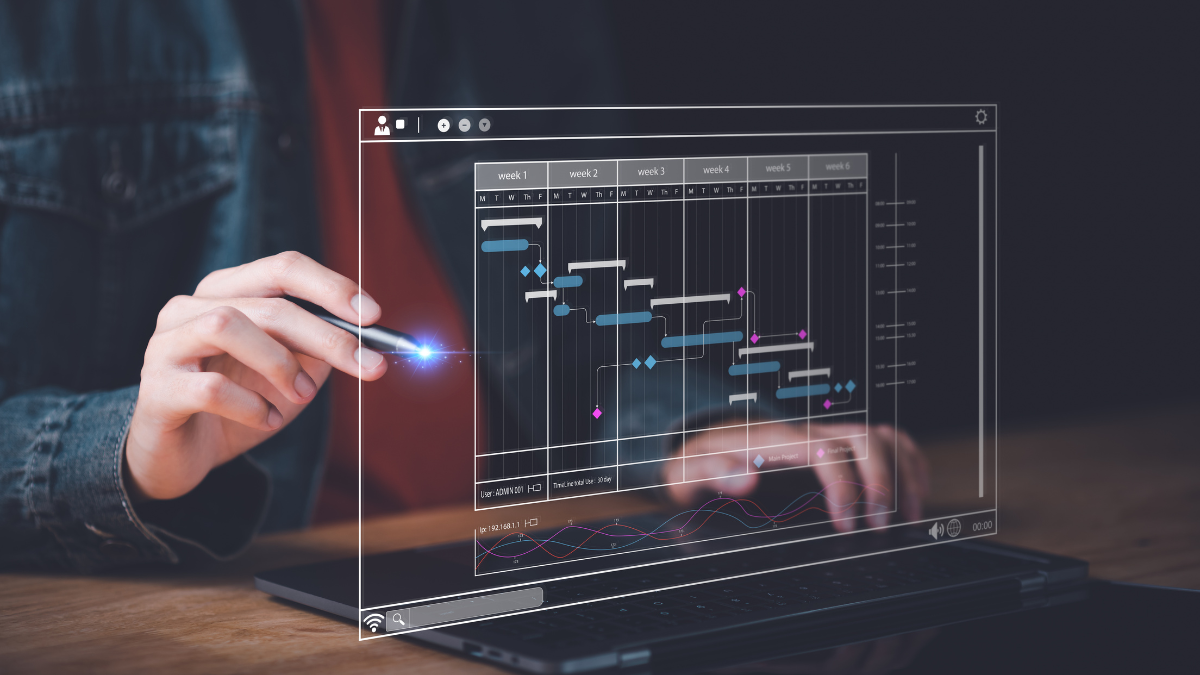
THE COMPLETE IMPLEMENTATION TIMELINE
Here’s exactly how to implement all of this over 8 weeks:
Week 1: Foundation Setup
- Sign up for ChatGPT Plus and Canva Pro
- Choose and set up email marketing platform (Mailchimp or Klaviyo)
- Audit current marketing (what’s manual, what’s working, what you want to improve)
- Time investment: 4 hours
Week 2: Social Media Automation
- Use ChatGPT to create 30-day content calendar
- Design visual templates in Canva
- Set up Meta Business Suite scheduling
- Configure basic Facebook Messenger chatbot
- Time investment: 5 hours
Week 3: Email Automation – Part 1
- Design welcome sequence using ChatGPT
- Create post-purchase automation
- Test both sequences
- Time investment: 4 hours
Week 4: Email Automation – Part 2
- Create monthly newsletter template
- Set up win-back campaign
- Configure birthday email automation
- Time investment: 4 hours
Week 5: Customer Communication
- Set up automated rebooking reminders
- Configure review request automation
- Expand chatbot with more common questions
- Time investment: 4 hours
Week 6: Content Marketing Setup (optional but recommended)
- Use ChatGPT to create 12-month blog topic calendar
- Write and publish first 2 blog posts with AI
- Set up automated social promotion
- Configure SEO optimization workflow
- Time investment: 6 hours
Week 7: Advertising Automation (if running paid ads)
- Generate ad copy variations with ChatGPT
- Create ad creative in Canva
- Set up Advantage+ or Performance Max campaigns
- Test and refine
- Time investment: 3 hours
Week 8: Reporting and Optimization
- Build automated marketing dashboard
- Set up weekly AI performance review routine
- Configure automated reports
- Document your complete system for reference
- Time investment: 3 hours
Total setup time: 25-35 hours spread over 8 weeks
Ongoing time required: 2-4 hours weekly
Time savings: 14-30 hours weekly
Net time reclaimed: 10-26 hours weekly forever

The Investment vs. Return
Let’s be clear about costs and returns:
Software Costs (Monthly)
- ChatGPT Plus: $31 AUD
- Canva Pro: $18 AUD
- Email platform (Mailchimp/Klaviyo): $20-60 AUD
- Chatbot (ManyChat): $23 AUD
- Scheduling tool (if not using free options): $0-30 AUD
Total monthly cost: $92-162 AUD
Annual software investment: $1,100-1,950 AUD
Compare to Alternative Options
Option 1: Hiring part-time marketer
- Cost: $500-1,000/week
- Annual: $26,000-52,000
- You get: Someone doing manual work
Option 2: Marketing agency
- Cost: $1,500-3,000/month
- Annual: $18,000-36,000
- You get: Professional execution but high cost
Option 3: Freelancers for each function
- Social media manager: $400-600/month
- Email marketer: $300-500/month
- Content writer: $300-500/article
- Annual: $12,000-24,000
- You get: Multiple people to manage
Option 4: AI automation (what we’re discussing)
- Cost: $1,100-1,950/year
- You get: Automated systems that run 24/7, professional quality, your control
Annual savings: $10,000-50,000 compared to other options
Plus Revenue Gains
Beyond cost savings, automation drives revenue growth:
More consistent marketing = more leads:
- Typical increase: 30-50% more inquiries
Better follow-up = higher conversion:
- Typical improvement: 20-35% better conversion of leads to customers
Automated nurture = higher customer lifetime value:
- Typical increase: 25-40% higher repeat purchase rate
Combined typical revenue impact: $30,000-100,000+ additional annual revenue for Australian SMEs
ROI calculation:
- Investment: $1,500-2,000 (software + setup time value)
- Return: $30,000-100,000 (revenue gains)
- ROI: 15:1 to 50:1

Learning to Implement This Systematically
Reading about marketing automation is different from actually implementing it in your business.
The gap between understanding and execution is where most business owners get stuck.
At My Learning Online’s AI for Small Business course, we teach Australian small business owners exactly how to implement all of this:
What You’ll Learn
Module 1: Social Media Automation
- Week-by-week implementation guide
- Exact prompts to use for your business type
- Screen-recorded demonstrations of complete setup
- Troubleshooting common issues
Module 2: Email Marketing Automation
- Building each automated sequence step-by-step
- Template library you can customize
- Integration with popular email platforms
- Testing and optimization strategies
Module 3: Content Creation and SEO
- AI-powered blog writing workflow
- SEO optimization checklist
- Topic research strategies
- Publishing and promotion automation
Module 4: Customer Communication
- Setting up automated follow-up sequences
- Review collection systems
- Chatbot configuration
- Retention campaign design
Module 5: Your Marketing Automation Blueprint
- Personalized automation roadmap for your specific business
- Priority ranking (what to implement first)
- Timeline and milestones
- Ongoing optimization strategies
With Hands-On Support
- Screen-recorded demonstrations: Watch exact setup processes, click-by-click
- Template and prompt libraries: Ready-to-customize resources for your business type
- Tutor support: Get help when stuck implementing – real tutors with Australian SME experience
- Australian business context: Examples, regulations, and tools specific to Australian businesses
The investment: From $35/week with flexible payment plans
The outcome: Fully automated marketing system running your business
The timeline: 8-12 weeks to complete implementation with support
The access: 12 months to work through at your pace

The Choice Ahead
You have two paths forward:
Path 1: Continue Manual Marketing
- Inconsistent execution (when you have time)
- Constantly stressed about falling behind
- Lower quality (rushed work)
- Limited scale (only what you personally can do)
- Missing growth opportunities
- Working evenings and weekends on marketing
Path 2: Implement AI Marketing Automation
- Consistent execution (marketing runs automatically)
- Reduced stress (systems handle routine work)
- Professional quality (AI assists, you refine)
- Scalable (automation handles 10x volume)
- Capture more growth opportunities
- Reclaim 10-26 hours weekly
The businesses dominating local Australian markets in 2025 aren’t doing more manual marketing. They’re doing better automated marketing.
They post consistently while competitors post sporadically.
They follow up systematically while competitors forget.
They nurture leads automatically while competitors lose them.
They retain customers while competitors watch them churn.
The gap widens every week.
Enrol in AI for Small Business at My Learning Online and build your automated marketing operation.
Stop doing marketing manually. Start automating it systematically.
Learn the complete implementation process at My Learning Online today.